The PC Link Software for CAN/LIN Data “LE-PC87”
[Applicable Analyzer] LE-8200*Need to have the CAN/LIN expansion kit, OP-SB87
Outline
This PC link software “LE-PC87” captures CAN/LIN data into PC measured by the CAN/ LIN optional expansion kit for LE-8200.Features
![]() |
![]() |
USB connection to the PC |
![]() |
Key emulation for easy operation | |
![]() |
Remote monitor function for continuous recording | |
![]() |
Displaying the specific data (watch data function) | |
![]() |
Data analysis function |
USB Connection to the PC
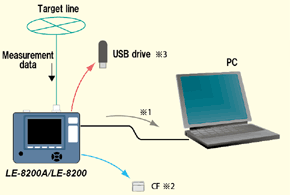
LE-8200 has a USB port to connect to a PC. It also supports the serial (RS-232C) connection, and LAN connection using the LAN-Serial converter (SI-60/ SI-60F).
*1: USB cable is not included. To have the USB connection, you need to have a USB cable. To have the Serial connection, you can use the AUX cable “LE2-8V” which comes with the analyzer.
*2: The PC needs to have the interface for reading the CF card.
Key emulation
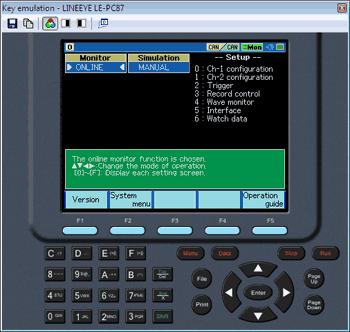
Display the screen image and keys of analyzer on the PC. It is possible to change the analyzer settings from the PC.
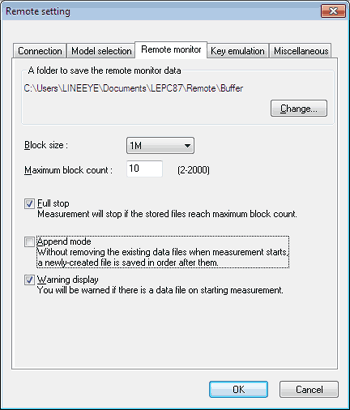
Remote Monitor function for continuous recording
Capture CAN/LIN data into the PC at real time from the analyzer and record in the hardware of PC at maximum 16GB. (8M byte x 2000)
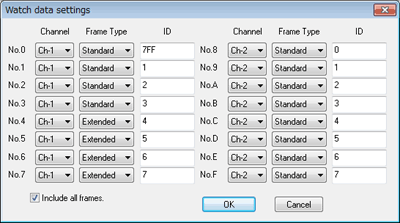
Displaying the Specific Data (Watch Data function)
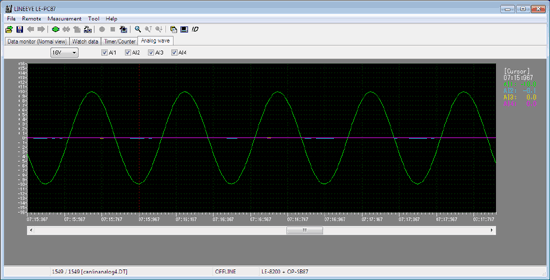
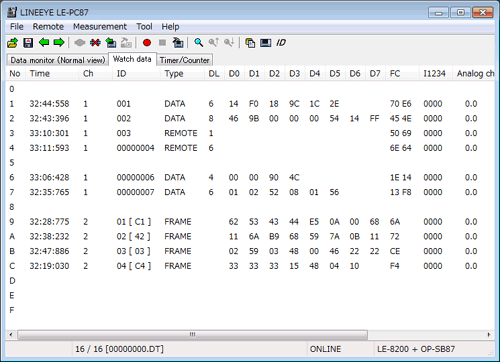
Display the specific ID frame at real time. It displays only the latest data without stopping the measurement.Watch Data Display Settings

Watch Data Display
Data Analysis Functions
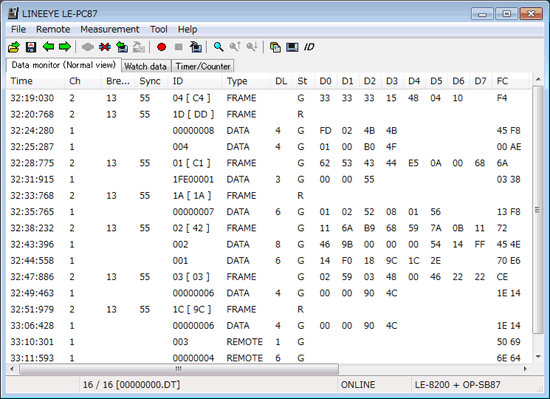
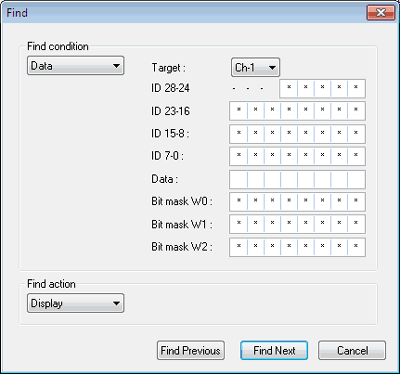
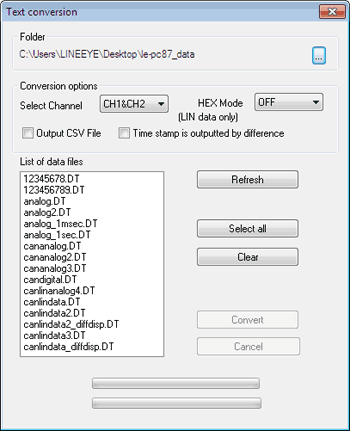
It is possible to search not only data but also timestamp and frame of which trigger is generated. It also has the text/CSV conversion function and proceeds the large amount of data at once.Data Monitored Display

Search Settings

Text Conversion Settings
Specifications
| Applicable Analyzer | LE-8200 with optional expansion kit, OP-SB87.*1 | |
|---|---|---|
| Connection port | USB, Serial(RS-232C), LAN (LAN-Serial converter, SI-60F) | |
| Key Emulation | Display the screen image and keys of analyzer on the PC. Save the screen image in bitmap. | |
| Communication Conditions | It is possible to set the analyzer conditions. (communication conditions, triggers, simulation data) | |
| Remote Monitor Function *4 | Start/stop the measurement. Display the measured data on the PC. Record data (Can be specified up to 2,000 files in the unit of 1/2/4/8M byte.) | |
| Data Display*3 | Time stamp (difference of time stamp), CAN/LIN frame display (SynchBreak*2, SynchField*2, ID, TYPE, DLC, DATA0-7, Checksum*1, STATUS), External signal level, Trigger | |
| Watch Data Display | Display the specific ID frame (max.16 kinds) at real time. | |
| Search | Display matched data or count data | |
| Conditions | Trigger: Trigger matching frame Error: Break, Sync, Parity, Checksum, Framing Data: Specified ID (don't care(*) can be set) Character string (up to 8 character, don’ t care (*), bit mask) can be set Time stamp: specific time stamp External level: |
|
| Text Conversion | Convert measured file into text or CSV format. | |
| Memory Card | It is possible to read the measured file on the memory card | |
| Environment | PC | PC/ATconversion(DOS/V), HDD: 3MB+free space for saving the measurement data. |
| OS | Windows 2000/XP /Vista/ 7 | |
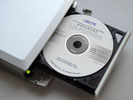
| Composition | CD(Software), Instruction manual, Warranty | |
*2: Display only LIN frame.
*3: Cannot display at real time.
*4: The maximum frames which analyzer can monitor data without any data loss at remote monitor function is different by the connection to the PC.
| USB connection | Approx. 15000 frames | Even the speed of the target device is 1Mbps, it can measure data without any data loss, if it does not exceed frames in the left table. |
|---|---|---|
| Serial port direct (115.2Kbps) |
Approx. 140 frames | |
| Via SI-60 (230.4Kbps) |
Approx. 280 frames |