Easy to analysis and test
Ethenet network via USB port.
LE-580FX
LAN Packet Tester
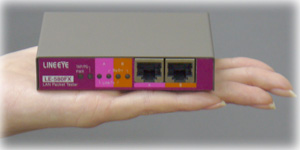
The LE-580FX is a LAN analyzer that connects to a PC's USB2.0 port. In TAP mode, you can capture full duplex data on 10/ 100Base-TX and transmit to the PC at 480Mbps via the USB2.0 interface. In PG mode, you can generate test packets at up to 100Mbps line rate.
Use LE-580FX for :
-
Release latest version !!Checking LAN protocols and data in the test devices.
- Selects English or Japanese display.
- Records up to 250,000,000 frames.
- Supports tests confirming RFC2544.
- Checking and analyzing traffic.
- Providing statistical information, such as error rate etc.
- Generate test packets for network test.
- Measuring QoS, such as latency etc.
- Studying network communication protocols.
USB bus powered portable LAN Analysis Tool
Compact and light weight analyzer powered by USB bus power. It is easy to carry this analyzer in you bag with the notebook PC.
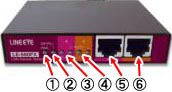
Nomenclature
 |
|
Capture 10/100Mbps LAN Packets Via USB
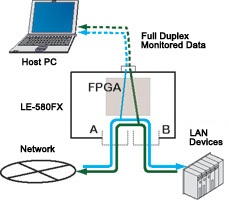
TAP mode captures 10/100Mbps full-duplex data on PortA/ PortB, and transmits to PC via USB2.0 port. Captured data can be displayed on PC.
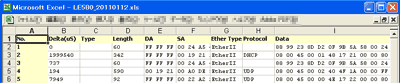
Export to excel format file
The captured data with time stamp information can be exported to Excel format.
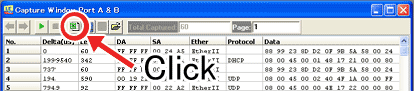
< Display of the Data Exported to Excel >
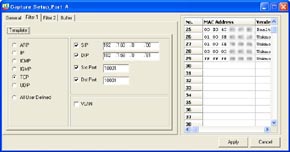
Filter To Capture The Specific Packets
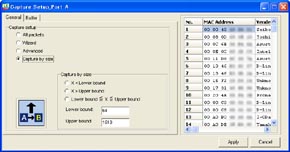
LE-580FX is not only able to capture all frames but also filter the specific packets. Filtering conditions can be set by MAC/IP address, protocols (ARP/IP/ICMP/IGMP/TCP/UDP/use defined), and specifying IP address/port/packet size etc.
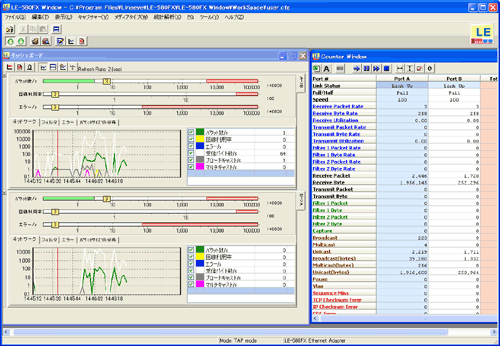
Visualize the amount of traffic
You can evaluate the amount of traffic visually. For each lines, there are 3 bar graph indicators of packet, utilization ratio and error count.
LAN Analysis Software, Ethereal
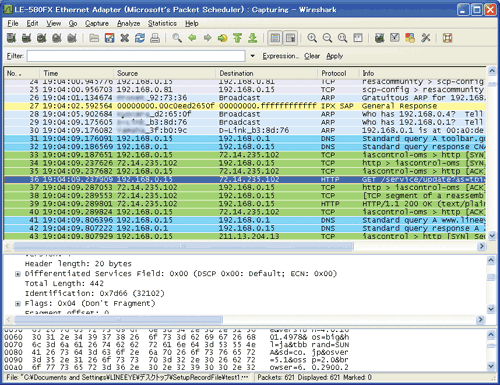
Captured data can be used with LAN analysis software, Ethereal / Wireshark.
LE-580FX works as network adaptor. Able to control LE-580FX by using Ethereal / Wireshark.
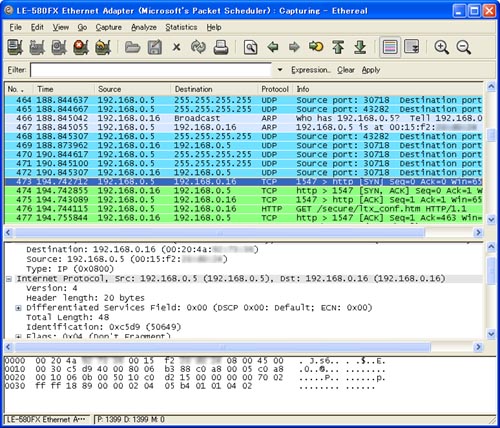
<Display of Wireshark >
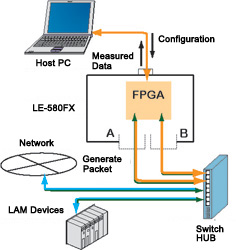
Generate Packets Max. At 100Mbps Line Speed.
PG mode generates test packets at your specified transmitting speed. Tell you the processing ability of the network devices and how they work at the high traffic. Test packets are generated in the FPGA, so it will not be affected by the performance of PC.
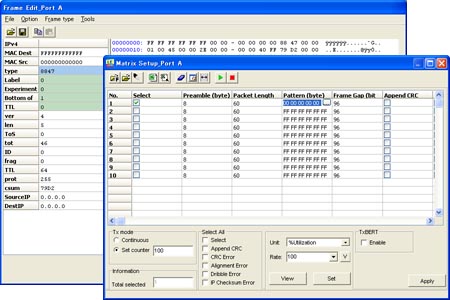
User Defined Test Packets
User can define 2-7 layer of data frames up to 128, and transmit them continuously or selected times. Add errors (CRC etc.) and VLAN/MPLS tags. Captured packets can be used as transmitting packets.
Hardware Counter For Statistic
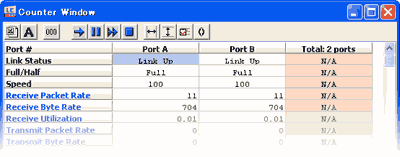
Calculate statistic information in the FPGA to know the quality of network.
Display the results in trend charts and graphs for each port. LE-580FX does not only calculate numbers of data, but also calculate by each error, packet size, collision type and filtering.
| Error Type: | TCP Checksum, IP Checksum, Alignment Error, Dribble Error, CRC Error, DI Checksum Error, Sequence Miss (Series Error), BERT Error |
|---|---|
| Packet Size: | Less than 64 byte. 64-127byte, 128-255byte, 256-511byte, 512-1023byte, 1024-1518byte, more than 1518byte. |
| Collision Type: | Total collisions, numbers of transmission by 1 collision, numbers of transmission by 2 collisions, numbers of transmission by failing 16 collisions, numbers of transmission by collision happened after 512bit time. |
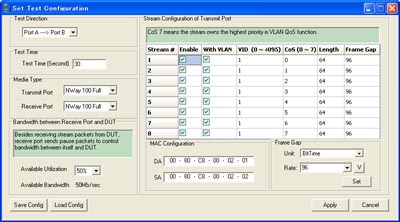
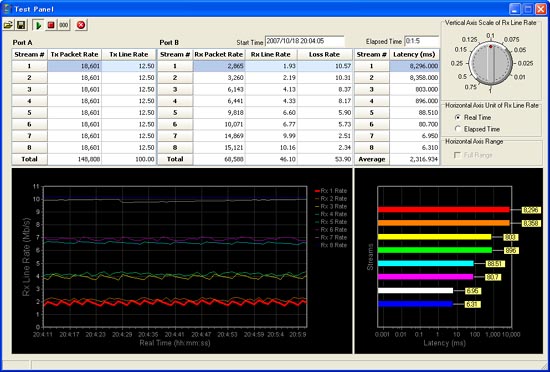
QoS Test (VLAN Supported)
Able to have the network Qos Test by transmitting test data from PortA(B) to PortB(A). Test packet lines can be set up to 8, includes VLAN VID (0-4095) and CoS (0-7) Parameter. QoS test tells you the packet loss and latency etc.
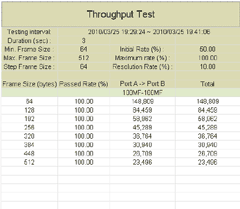
Provide RFC 2544 based Test Tool for Free
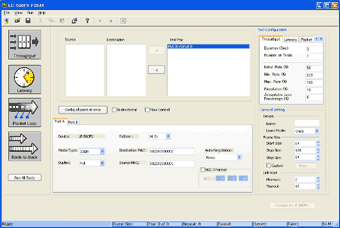
LINEEYE provide an Utility software "LE-580FX F2544" which is basing on RFC 2544 (an technical standard of network interconnection).
- Throughput
- Latency
- Packet Loss
- Back to Back (Test of Buffer Capacity)
You can check those 4 tests by simple operation.
(This software is released by our website.)
This software is offered for free and with no warranty.
DOWNLOAD
About documentation of RFC 2544, please see the website of IETF.
 |
 |
Enables the Development of User's Original Application
API is Available
LINEEYE provide API (Application Programming Interfaces) to control
LE-580FX (Device) for free. The API is provided as a library for BCB/VC environment.
By utilizing the API, you can develop your original PC application to control your LE-580FX (device).
On the usage of API for LE-580FX, LINEEYE recognized that the user has agreed with following conditions.
- The API is offered with no warranty and LINEEYE will not provide any support.
- You must utilize the API at your own risk.
- You are not allowed to distribute the API.
How to Get the API?
Register your information by User Registration and fill your requirement in "9. Any other comments are highly appreciated.".
Or please contact us directly.